If you have all the requirements, Move on to the Install Steps
Install Steps
Install Requirements
✔
Move everything inside the PART1 folder to your scripts folder.
✔
CodeWalker Dev48 → Edit Mode →
mods\update\update.rpf\x64\data\cdimages\ scaleform_generic.rpf
Drag PART2 contents into it.
✔
Place psrp_props folder here: mods/update/x64/dlcpacks
✔
Add to your dlclist.xml:
<Item>dlcpacks:/psrp_props/</Item>
✔
Get your license if you dont have one (Top Right).
✔
Place License Key in scripts/PSRP/License.txt.
✔
Quick Start Guides
Common Controls
Creating A MP Ped
Custom Phone
Vehicle Persistent
Survival Guide
Crafting Guide
Dealing Guide
LSPDFR Setup
How To Sleep
PSRP Jobs & Activities
Weapons
Real Weather Sync
Common Keys
Some keys are changeable via your keys.ini located here: scripts/PSRP/
Common Keys
IInventory
DOUBLE CLICK LEFT CONTROL
/
DOUBLE CLICK R3
Toggle Third Eye
XEngine Toggle
ZSeatbelt Toggle
CCruise Control
VLeft Indicator
BRight Indicator
N
/
LB + DPAD UP
Car Controller
J
/
LB + DPAD LEFT
Radial Menu
0Custom Phone Hotkey
1Inventory Slot 1
2Inventory Slot 2
3Inventory Slot 3
4Inventory Slot 4
5Inventory Slot 5
6Inventory Slot 6
Creating A Ped
To create an MP Ped, open the PSRP Menu (Press J Then Settings Icon). From here you can fully customise your character’s appearance, including clothing, model features, and other visual options to suit your roleplay style.
You can also configure starting settings such as money, spawn location, and additional character values before entering the game world.
Once created, your MP Peds are saved with their own persistent data, meaning progress, inventory, and character information are remembered between sessions.
You can easily switch between your MP Peds at any time through the PSRP menu, allowing you to maintain multiple characters with separate identities, setups, and progression.
Custom Phone
The Custom Phone can be purchased at any green grocery store icon on the map. Once inside the shop, locate it in the Misc category.
Owning the Custom Phone allows you to access the full potential of PSRP, including custom contacts and additional phone features that expand gameplay and roleplay functionality.
Vehicle Persistent
To save a vehicle between game sessions, use your Custom Phone to call the Vehicle Insurance contact and insure the vehicle.
Insured vehicles will persist across saves, allowing them to be loaded again when you return to the game.
In addition, insured vehicles provide trunk storage access. Approach the trunk of your last driven insured vehicle and follow the on-screen prompts to access and manage stored items.
Survival Guide
Your character’s survival depends on managing four core stats: Health, Hydration, Hunger, and Energy.
Supplies needed to maintain these stats can be purchased from many locations around the map, including grocery stores, food stands, smoke shops, and other vendors.
Energy can be restored by sleeping at a purchasable stashhouse, using energy items or by renting a room at available hotels.
Neglecting any survival stat too long will result in your character passing out.
Crafting Guide
Craft items by combining required materials together inside your CRAFTING
area of your inventory
Protein Shake
Used to increase your energy levels
Water
+
Protein Powder
+
Shaker
=
Protein Shake
Milk
+
Protein Powder
+
Shaker
=
Protein Shake
Water
+
Dirty Shaker
+
Empty
=
Clean Shaker
Drugs
Certain drugs can be crafted to be sold or used
Weed Variation
+
Drug Bags
+
Drug Scales
=
Bagged Weed
Cocaine
+
Drug Bags
+
Drug Scales
=
Bagged Coke
Crack
+
Drug Bags
+
Drug Scales
=
Bagged Crack
Weed Variation
+
Rolling Papers
+
Weed Grinder
=
Spliff
Weed Variation
+
Bong
+
Weed Grinder
=
Packed Bong
Dirty Bong
+
Water
+
Empty
=
Bong
Sprite
+
Grape Syrup
+
Cough Medicine
=
Dirty Sprite (Lean)
Dealing Guide
Begin drug dealing by contacting GHOST using your Custom Phone.
The system operates using two reputation types: Area Reputation and Total Reputation.
Increasing Area Reputation boosts the rate of customer activity within that area, while Total Reputation unlocks opportunities for larger, high-profile orders.
Street dealing comes with risks. If law enforcement has line of sight during a transaction, you will gain a wanted status.
Dealers may also face robberies and other unpredictable encounters while operating on the streets.
LSPDFR Setup
PSRP is fully compatible with LSPDFR and only requires a small setting adjustment.
Press J then Settings Icon in-game to open the PSRP Menu, navigate to the settings, and enable the Disable Police Pullovers option to disable PSRP pullovers and avoid conflicts with LSPDFR.
How To Sleep
There are three places you can sleep in PSRP.
• Stay at a hotel.
• Use the bed in your safehouse.
• Hold the duck button while inside a vehicle until the sleep menu appears.
Certain items, such as Energy Drinks, Coffee, and Protein Shakes, will slightly increase your Energy.
Jobs & Activities
There are multiple jobs and activities available throughout Los Santos, with more being added over time.
Legal jobs
Valet job
Pilot job
Post op job
Uber driver job
Gas delivery job
Pizza delivery job
Vehicle dealership business
Hunting
Prison transport job
Convenience store delivery job
Drag racing
Illegal activities
Drug dealing
License plate stealing
Ped robbing
Dumpster diving
Parking meter robbing
Movie studio mini heist
Stolen bicycle selling
Weapons In PSRP
All about weaapons in PSRP.
• You can purchase weapons from Ammunation or the Black Market contact.
• Weapons can be used via gta5 vanilla weapon wheel.
• Weapons not in your PSRP Inventory will be removed from the weapon wheel. (You can disable inventory requirement for weapons is the PSRP Menu)
Real Weather Sync
Using PSRP's Real Weather System.
• To use Real Weather, access it via the PSRP Menu.
• You need to set a Latitude and Longitude for your chosen location.
• Updates as accurate as possible to match gta5 weather to real location weather.
• Get your coordinates here:
https://www.latlong.net
.

 Water
Water
 Protein Powder
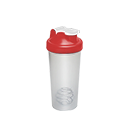 Shaker
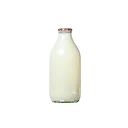 Milk
Milk
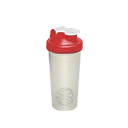 Dirty Shaker
 Empty
Empty
 Weed Variation
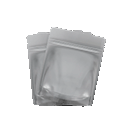 Drug Bags
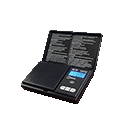 Drug Scales
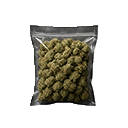 Bagged Weed
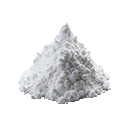 Cocaine
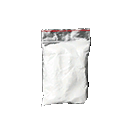 Bagged Coke
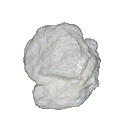 Crack
Crack
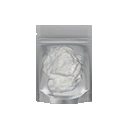 Bagged Crack
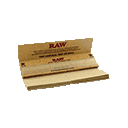 Rolling Papers
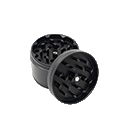 Weed Grinder
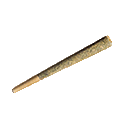 Spliff
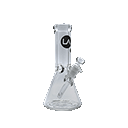 Bong
Bong
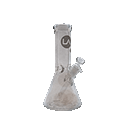 Dirty Bong
 Empty
Empty
 Sprite
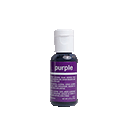 Grape Syrup
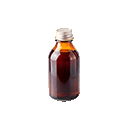 Cough Medicine
 Dirty Sprite (Lean)